reBot B601-DM
reBot B601-DM is an open-source, low-cost robot arm from Seeed Studio for embodied-AI and imitation learning. It comes as a follower arm (the B601-DM, a 6-DOF arm plus gripper driven by Damiao CAN motors) and a leader arm (the StarArm102 / reBot Arm 102, driven by FashionStar UART smart servos) used to teleoperate it.
This page covers calibration and teleoperation for both single-arm and bimanual (dual-arm) setups.
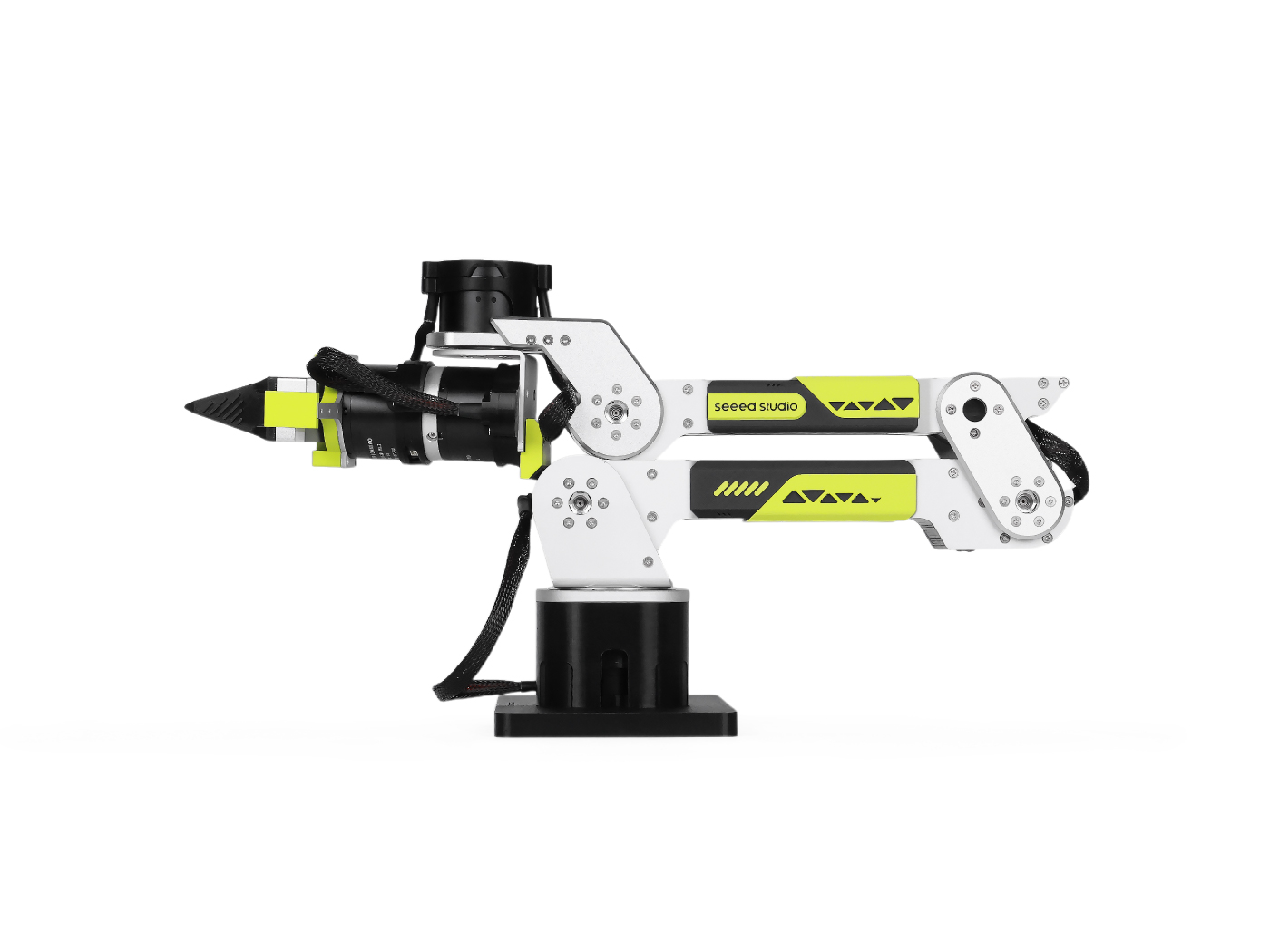
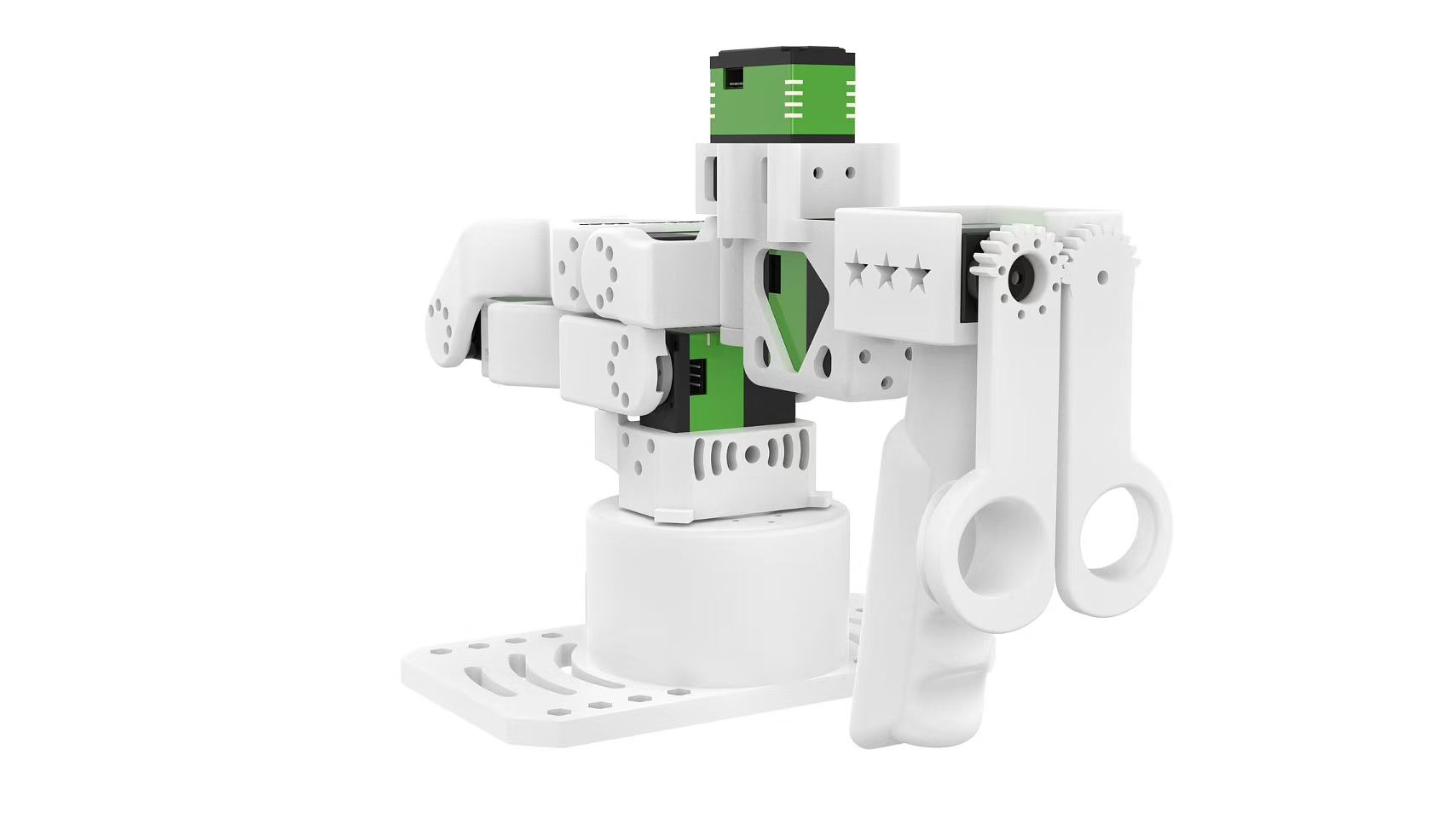
Left: the B601-DM follower at its zero position. Right: the reBot Arm 102 leader at its zero position. Images courtesy of Seeed Studio.
Install LeRobot 🤗
Follow our Installation Guide, then install the reBot support:
pip install -e ".[rebot]"
This pulls in motorbridge (CAN motor control for the B601-DM follower) and motorbridge-smart-servo (FashionStar UART servos for the reBot Arm 102 leader).
Registered device types
| Type | Kind |
|---|---|
rebot_b601_follower |
single-arm B601-DM follower robot |
bi_rebot_b601_follower |
bimanual (dual-arm) follower robot |
rebot_102_leader |
single-arm reBot Arm 102 leader teleoperator |
bi_rebot_102_leader |
bimanual (dual-arm) leader teleoperator |
The bimanual types compose two single-arm instances and namespace each arm's
observation/action keys with a left_ / right_ prefix. Per-arm settings are
passed through nested left_arm_config.* / right_arm_config.* arguments.
Find the USB ports
For each device, find the USB port associated with its motor bus using:
lerobot-find-port
Warning
On Linux, remove brltty (sudo apt remove brltty) so it does not hold the
leader's USB serial port. You may also need to grant access to the serial
devices: sudo chmod 666 /dev/ttyACM* /dev/ttyUSB*.
Calibration
Neither arm stores a persistent hardware calibration: every time it connects, the motors are re-zeroed against the pose the arm is physically holding. Calibration simply records that zero pose. When prompted, manually move the arm to its zero position (the default sit-down pose shown above, gripper fully closed) and press ENTER.
Follower (B601-DM)
lerobot-calibrate \
    --robot.type=rebot_b601_follower \
    --robot.port=/dev/ttyACM0 \
    --robot.id=follower \
    --robot.can_adapter=damiao
Connect the bimanual follower; calibration runs for the left arm, then the right arm.
lerobot-calibrate \
    --robot.type=bi_rebot_b601_follower \
    --robot.id=bi_follower \
    --robot.left_arm_config.port=/dev/ttyACM0 \
    --robot.left_arm_config.can_adapter=damiao \
    --robot.right_arm_config.port=/dev/ttyACM1 \
    --robot.right_arm_config.can_adapter=damiao
Per-arm calibration files are saved with _left / _right suffixes on the id.
Leader (reBot Arm 102)
lerobot-calibrate \
    --teleop.type=rebot_102_leader \
    --teleop.port=/dev/ttyUSB0 \
    --teleop.id=leader
lerobot-calibrate \
    --teleop.type=bi_rebot_102_leader \
    --teleop.id=bi_leader \
    --teleop.left_arm_config.port=/dev/ttyUSB0 \
    --teleop.right_arm_config.port=/dev/ttyUSB1
Teleoperation
Once both arms are calibrated, drive the follower with the leader. The follower talks to its CAN bus through a Damiao serial bridge (can_adapter=damiao, the default) or a SocketCAN adapter (can_adapter=socketcan). See the OpenArm page for more details on the SocketCAN adapter configuration.
lerobot-teleoperate \
    --robot.type=rebot_b601_follower \
    --robot.port=/dev/ttyACM0 \
    --robot.id=follower \
    --robot.can_adapter=damiao \
    --teleop.type=rebot_102_leader \
    --teleop.port=/dev/ttyUSB0 \
    --teleop.id=leader
The bimanual leader and follower reuse the single-arm classes; each arm is
configured through nested left_arm_config.* / right_arm_config.* arguments,
so a bimanual reBot Arm 102 leader drives a bimanual B601-DM follower.
lerobot-teleoperate \
    --robot.type=bi_rebot_b601_follower \
    --robot.id=bi_follower \
    --robot.left_arm_config.port=/dev/ttyACM0 \
    --robot.left_arm_config.can_adapter=damiao \
    --robot.right_arm_config.port=/dev/ttyACM1 \
    --robot.right_arm_config.can_adapter=damiao \
    --teleop.type=bi_rebot_102_leader \
    --teleop.id=bi_leader \
    --teleop.left_arm_config.port=/dev/ttyUSB0 \
    --teleop.right_arm_config.port=/dev/ttyUSB1
Tip
The leader and follower share the same joint names (shoulder_pan,
shoulder_lift, elbow_flex, wrist_flex, wrist_yaw, wrist_roll, gripper), so
leader actions map directly onto the follower.
If the motion of a joint is reversed, flip its sign in the leader's joint_directions (the gripper also carries a scale to widen its range to the follower):
lerobot-teleoperate \
    --robot.type=rebot_b601_follower \
    --robot.port=/dev/ttyACM0 \
    --robot.can_adapter=damiao \
    --teleop.type=rebot_102_leader \
    --teleop.port=/dev/ttyUSB0 \
    --teleop.joint_directions='{"shoulder_pan":-1,"shoulder_lift":-1,"elbow_flex":1,"wrist_flex":1,"wrist_yaw":1,"wrist_roll":-1,"gripper":-6}'
Recording datasets
Swap lerobot-teleoperate for lerobot-record (with the same --robot.* / --teleop.* arguments, plus --dataset.*) to record demonstrations for training. See Imitation Learning for Robots for the full workflow.
For hardware assembly and wiring, see the Seeed Studio reBot wiki.